


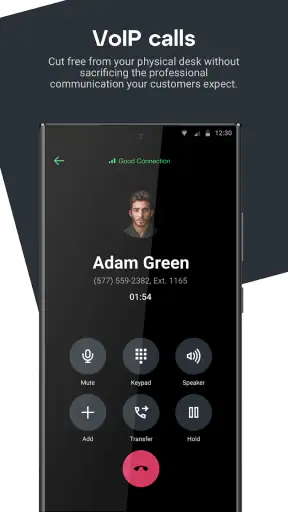
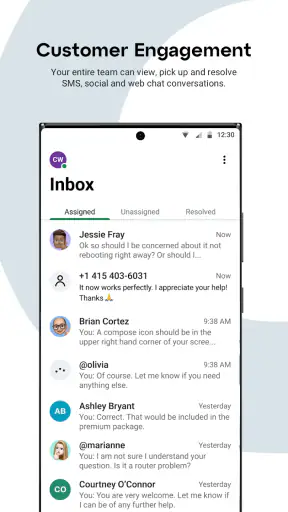
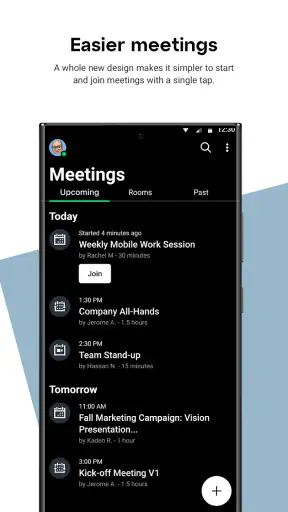

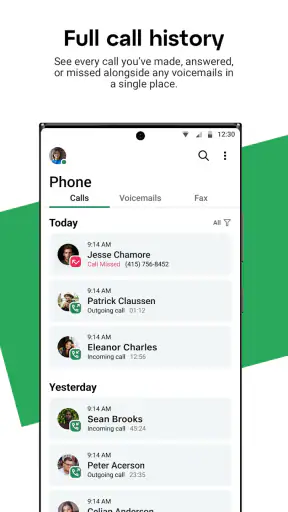
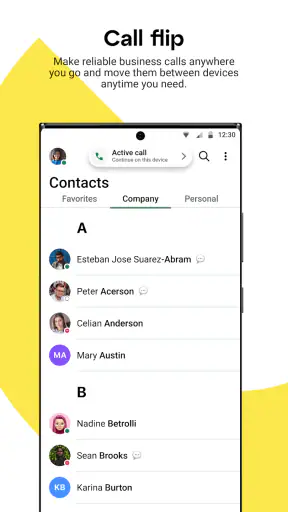
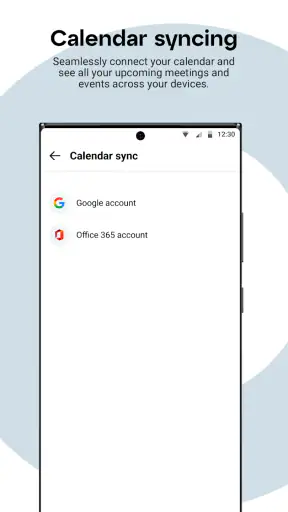
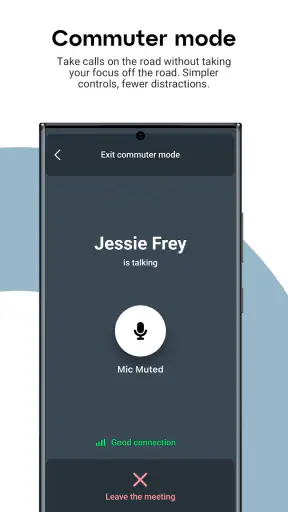
I tried GoTo as a business communication app, and my first impression was that it aims to keep the everyday work conversation in one place: calls, messages, and online meetings without making the interface feel like a full office suite. That focus matters. When I need to move from a quick question to a voice conversation and then into a meeting, I prefer not to jump between several unrelated tools.
GoTo is free, rated for Everyone, and developed by GoTo Group, Inc. It has built a strong audience on mobile, with more than five million installs and an average rating of 4.8 from roughly one hundred fifty-two thousand ratings. Those figures do not replace hands-on testing, but they do suggest that the app has found a practical role for people who want a familiar communication hub rather than a complicated business platform.
How GoTo feels during ordinary work
The app makes the most sense when I treat it as a workday communications layer. A sales representative can use it to answer a customer call, a small team can keep project messages together, and a remote worker can join a meeting without carrying a separate app for every type of conversation. The combination is more useful than the individual tools alone because the transition between communication modes is usually where work gets interrupted.
In a realistic scenario, I might receive a message from a colleague while away from my desk. If the question is too involved for typing, I can move toward a call instead of writing a long explanation. If several people need to see the same discussion, a meeting becomes the natural next step. That workflow is the strongest reason to consider GoTo: it reduces the mental overhead of deciding which communication app to open.
My speed expectations are reasonable rather than extreme. A focused app for calling, messaging, and meetings should feel quick when opening a conversation, answering a call, or entering a meeting, but the experience also depends heavily on the phone, operating system, network, and activity happening elsewhere on the device. I would not judge it by the instant response of a lightweight chat app alone, because meeting functions naturally require more work from the device.
What I appreciate is the simple positioning. GoTo is not trying to be a project-management board, a document editor, or a general social network. That narrower purpose can make daily use easier for someone who primarily needs dependable contact with coworkers or clients. I also find the security emphasis reassuring for business conversations, although sensible habits still matter: I would check the recipient before sending sensitive information and keep the app and phone updated.
Where the app saves time
The biggest time saving comes from continuity. A message can start a conversation, a call can resolve it, and a meeting can bring in the people who need to make a decision. In many teams, that is more efficient than leaving a chat app to open a separate calling service and then trying to remember where the original context was stored.
Another useful habit is to use messages for preparation instead of treating them only as a replacement for email. Before a meeting, I can send the key question or a short list of decisions needed. That gives participants a clearer reason to attend and can make the live discussion less scattered. Afterward, the same conversation can serve as a place to confirm the next action, rather than relying on memory.
That workflow is especially suitable for small businesses and distributed teams. It is less compelling for a person who only needs occasional video calls, because a dedicated meeting service may offer a more specialized experience for that one task. GoTo earns its place when the same people need several communication methods throughout the day.
What happens during heavier use
The demanding moments are meetings with several participants, switching between a meeting and other work, and using the app for long stretches rather than opening it for a single message. In those situations, I expect more battery and memory pressure than I would from a text-only messenger. That is not a flaw unique to GoTo; voice and video communication naturally ask more from a mobile device.
I would therefore avoid beginning an important meeting with a nearly empty battery or a phone already struggling with many open apps. Closing unnecessary background activity can make recovery easier if the device becomes sluggish. A stable network is just as important as the application itself, so I would not blame the app automatically for frozen video or delayed audio when other online services are also having trouble.
One non-obvious trade-off is convenience versus attention. Keeping calls, messages, and meetings together can reduce app switching, but it can also make the phone feel like a constant work channel. I recommend deciding which notifications deserve immediate attention before using GoTo as the main work contact point. Otherwise, the very integration that saves time can create interruptions throughout the day.
For heavy users, I would also separate urgent communication from information that can wait. A call is appropriate when a decision is blocked; a message is better when the recipient needs time to read or check something. Using meetings for every small question would make any communication platform feel slow, so GoTo works best when each mode has a clear purpose.
Stability and recovering from interruptions
Reliability matters more here than visual polish. A business communication app is judged by what happens when a call arrives unexpectedly, a meeting is interrupted, or the connection changes while someone is traveling. My practical advice is to prepare a backup route for important conversations: keep the meeting details available, know how to contact the participants another way, and do not assume a mobile connection will behave like a wired office connection.
GoTo’s simple scope helps recovery because I do not need to remember several unrelated products to resume work. If I leave a conversation to handle something else, returning to the same communication environment is less disruptive than reconstructing the context across multiple apps. That is a meaningful strength for people who work in short bursts between appointments or while moving around a workplace.
Still, recovery is not the same as guaranteed continuity. A phone call, operating-system interruption, weak signal, or aggressive battery management can affect any communications app. I would test the app on the phone and network I actually use before making it the sole channel for time-critical client work. This is particularly important for people who depend on older hardware or frequently work in places with inconsistent coverage.
Security is another part of reliability. The app presents itself as a secure way to handle calls, messages, and meetings, which is valuable for business use. I would still keep access to the phone protected, avoid sharing meeting details casually, and be careful when switching between personal and professional conversations. A secure service cannot prevent a user from sending information to the wrong person.
Device requirements and everyday constraints
The current version is 2026.9.0, and the listed minimum operating system is Android or iOS version 9, depending on the platform context. That makes the app accessible to a broad range of devices, but minimum compatibility should not be confused with ideal performance. A phone that can install an app may still feel less comfortable during long meetings than a newer model with more available resources.
I would pay attention to three practical constraints. First, screen size affects meeting comfort, especially when I need to read messages, view participants, or move between controls. Second, battery condition matters more during calls and meetings than during ordinary text use. Third, background restrictions can interfere with timely notifications, so I would review the phone’s battery and notification settings if messages appear late.
A useful setup tip is to run a short test before the first important meeting. Check that the account is ready, confirm that notifications behave as expected, and make sure the microphone and camera experience is comfortable on the chosen device. This small preparation is more valuable than discovering a setting problem when a customer is already waiting.
People using a phone mainly for quick messages may find the app more than they need. Likewise, someone with limited storage, a very old handset, or a habit of keeping many demanding apps active should think carefully before making it the center of their workday. The minimum operating-system requirement is welcoming, but the quality of calls and meetings still depends on the complete device environment.
How it compares with familiar alternatives
Compared with a basic messaging app, GoTo is better suited to a work conversation that may become a call or meeting. A casual messenger can be faster for personal chats and may feel lighter, but it is not always the right place for organized business communication. GoTo’s advantage is the professional context and the ability to bring several communication formats together.
Compared with a meeting-only service, GoTo is more convenient when the meeting is just one part of a longer exchange. A specialist meeting platform may be preferable for teams that care primarily about advanced presentation workflows or highly focused conference management. I would choose that kind of alternative when meetings dominate the workday and messaging is secondary.
Compared with a full collaboration suite, GoTo may feel less overwhelming. That can be a benefit for a small company that does not need extensive file management, task tracking, or document collaboration inside the same product. On the other hand, organizations already committed to a broad workplace ecosystem may prefer to keep communication inside that existing system to avoid splitting contacts and conversations.
The decision is therefore less about finding the app with the longest feature list and more about matching the tool to the communication pattern. GoTo is strongest for people who want calls, messages, and meetings close together without adopting an entire digital workplace. It is weaker as a choice for users seeking a dedicated social messenger, a simple personal calling tool, or a complete project-management environment.
Who should use it and who should look elsewhere
I would recommend GoTo to freelancers, small teams, remote workers, and businesses that regularly shift between written questions, calls, and meetings. It is also a sensible option for someone who wants a mobile companion to an established work routine rather than a collection of separate communication apps.
I would be more cautious if your work depends on specialized collaboration features that are outside this app’s central purpose. If you need deep document workflows, detailed task ownership, or a highly specialized conference environment, another product may fit better. The same applies if you only need occasional personal calls and do not want a business-oriented communications app on your phone.
The free price removes an obvious barrier to trying it, and the Everyone age rating makes it broadly approachable. Even so, a free app can still cost time if it does not match the way a team works. I would install it first for a small group or a limited workflow, then decide whether it genuinely reduces switching and missed context.
One practical evaluation method is to use it for a complete work cycle: start a question in messages, resolve one issue by call, attend a meeting, and return later to find the conversation again. That test reveals more than opening the app once. It shows whether the navigation feels natural, whether notifications are useful rather than noisy, and whether the mobile experience suits the way you actually work.
My final view on performance and value
After looking at GoTo as a daily business tool, I see its main value in keeping communication paths connected. It feels most convincing when I need to move between messages, calls, and meetings without losing the thread. The app is not automatically the best answer for every business, but its focused design gives it a clear audience.
My performance verdict is balanced: expect a practical experience for ordinary communication, while remembering that meetings place heavier demands on the phone, battery, and network. Preparation matters. Keeping the device updated, reducing unnecessary background activity, checking notification behavior, and testing the microphone before an important call can prevent more trouble than switching between competing services.
For me, the strongest recommendation is for teams that value a straightforward mobile communication hub over a sprawling suite. The main caution is to avoid treating it as a universal replacement for every workplace tool. GoTo is at its best when communication is the work, not when communication is only one small part of a much larger project system.
GoTo Group, Inc. has positioned this app for people who want a simple and secure way to stay connected at work, and the large installed audience supports its relevance in that space. I would give it a fair trial if your day repeatedly moves from a written exchange to a call and then to a meeting. If that pattern describes you, GoTo is a credible, free starting point that can make mobile work feel more organized without forcing you into a heavier platform.


